
Paper timekeeping exposes contractors to audit risk and payment withholdings, while electronic systems provide the immutable, timestamped documentation that DCAA auditors demand. Businesses working on federal contracts must adhere to DCAA guidelines to ensure compliance and maintain eligibility. The difference between these approaches directly impacts your contract compliance, administrative efficiency, and audit defensibility.
This comparison covers why electronic systems create superior audit trails, how paper records create compliance vulnerabilities during unannounced audits, the specific DCAA preferences that favor digital platforms, and the measurable cost of timekeeping failures on contract payments. This is especially relevant for businesses managing federal contracts. You’ll understand the operational and financial case for transitioning from manual to automated timekeeping before your next audit cycle.
Understanding DCAA Timekeeping Requirements
DCAA Timekeeping: More Than Hours
Because government contractors operate under Defense Contract Audit Agency (DCAA) regulations, you’ll find that timekeeping isn’t just about tracking hours—it’s the foundation of your compliance posture and your ability to defend costs during audits. Meeting DCAA expectations and following DCAA rules is essential for compliance. Timekeeping represents the single most scrutinized compliance area during DCAA audits and remains the leading cause of contract payment withholdings. DCAA compliant timekeeping requires timely submission of timesheets, which must be completed and submitted daily by employees.
Core Practices for Compliant Time Tracking
Daily time tracking, employee self-reporting, and proper charge code allocation form your timekeeping best practices. DCAA timekeeping rules and the Federal Acquisition Regulation require accurate timekeeping, proper labor charging, and detailed recording of hours worked to ensure compliance and audit readiness.
Documentation and Record Management Standards
You’re required to maintain documented audit trails for every change, secure records for three years, and guarantee dual approval workflows. These standards are part of the timekeeping rules set by DCAA and the Federal Acquisition Regulation (FAR). DCAA timekeeping rules require that all records must be retained for a minimum of three to six years depending on the contract terms.
Strategic Compliance Advantages
Understanding DCAA compliance benefits your organization by reducing audit risk, strengthening cost defensibility, and demonstrating transparency. Non-compliance with DCAA timekeeping requirements can lead to contract termination, legal actions, or loss of future contracting opportunities.
Transforming Compliance Into Competitive Advantage
Training your team on these procedures transforms timekeeping from administrative burden into strategic compliance advantage. Engaging with a licensed CPA professional helps ensure compliance with DCAA timekeeping requirements.
Core Features of Electronic Timekeeping Systems
When you implement an electronic timekeeping system, you’re gaining automated audit trail tracking that captures every change with timestamps and revision history—a capability that paper systems simply can’t match and that DCAA auditors explicitly prefer. Time tracking software with a comprehensive audit log helps prevent errors and prevent fraud by ensuring all actions are recorded and monitored. Additionally, electronic timekeeping systems allow organizations to allocate charges to cost objectives, providing a clear overview of expenses.
You’ll also benefit from real-time approval workflows that route timesheets automatically to supervisors, eliminating delays and ensuring nothing slips through the cracks like it often does with manual sign-offs. Electronic systems allow employees to manage their own timesheets, increasing accountability and compliance.
Electronic systems must also prevent retroactive alterations to time entries without documented authorization, ensuring that supervisors or administrators cannot modify employee time records without proper approval trails.
Together, these core features transform compliance from a reactive scramble during audits into a proactive, transparent process that protects both you and your organization.
Understanding how these systems integrate with your existing workflows is essential to maximizing their value. The following section explores the key implementation strategies that ensure seamless adoption across your organization.
Automated Audit Trail Tracking
Electronic Records Create Compliance Evidence
One of the most powerful advantages electronic timekeeping systems offer is their ability to create immutable, automatically-generated records of every change made to employee time entries—and that’s precisely what separates them from paper-based alternatives in the eyes of DCAA auditors.
Four Pillars of Transparent Time Documentation
You’ll appreciate how automated tracking delivers compliance efficiency through:
- Timestamped documentation capturing who changed what and when
- Revision history showing original versus modified entries side-by-side
- Reason codes requiring explanations for corrections
- Immutable logs preventing retroactive alterations without detection
Defensible Records Support Audit Success
This transparency eliminates guesswork during audits, gives you defensible records, and illustrates your organization’s commitment to legitimate timekeeping practices that DCAA expects.
Real-Time Approval Workflows
Instant Notifications Eliminate Review Bottlenecks
While automated audit trails document what happened, real-time approval workflows guarantee nothing happens without proper authorization—and that’s where electronic timekeeping systems genuinely outpace their paper counterparts in both compliance and operational efficiency. Supervisor approvals are a critical step in the electronic timekeeping process, ensuring that all timesheets are reviewed and authorized in compliance with DCAA standards.
You’ll receive real-time notifications when timesheets need review, eliminating bottlenecks that plague manual processes.
Automated Routing Ensures Faster Supervisor Sign-Off
Workflow automation routes approvals to the right supervisor instantly, ensuring nothing slips through cracks.
This systematic approach keeps your team compliant with DCAA requirements while dramatically reducing approval delays.
Compliance Infrastructure Paper Systems Can’t Match
Paper systems can’t match this speed or reliability.
Electronic systems help organizations remain organized by maintaining clear documentation and easily accessible records, which is essential for passing DCAA audits.
You’re not just tracking time; you’re creating an ironclad compliance infrastructure that auditors consistently favor.
Capabilities and Limitations of Paper-Based Timekeeping
Outdated Methods in Modern Compliance Standards
Though paper timekeeping has served contractors for decades, it’s increasingly difficult to defend in today’s DCAA compliance environment—not because the method can’t work, but because it demands meticulous manual discipline at every step and leaves little room for error correction. Electronic timekeeping systems are generally more affordable and widely available than ever before.
Four Critical Vulnerabilities
- Handwriting Creates Entry Inconsistencies — Manual entry errors occur frequently with handwritten records.
- Documentation Requirements Burden Audits — Audit trails require physical documentation of every change.
- Physical Records Risk Regulatory Exposure — Lost or damaged forms compromise compliance verification.
- Administrative Delays Slow Operations — Approval delays create bottlenecks in payroll processing.
The Hidden Cost of Manual Systems
Manual timekeeping is time consuming, leading to increased administrative burden and a higher risk of errors. You’re managing risk constantly, hunting for archived forms, and hoping supervisors didn’t misplace critical signatures. Paper-based systems are particularly vulnerable to after-the-fact reconstruction, which DCAA explicitly prohibits and treats as a significant compliance deficiency. The burden falls entirely on your team’s consistency.
Audit Trail Documentation: Electronic vs. Paper
When you’re managing DCAA-compliant timekeeping, the audit trail you create—or fail to create—becomes your strongest defense or your biggest vulnerability during government audits.
Electronic systems automatically timestamp every change, capture who made it, and document why, giving you an immutable record that’s instantly retrievable.
Paper systems, by contrast, rely on manual notations and physical filing that create gaps, misplaced entries, and credibility problems when auditors request documentation.
You’ll find that the difference between automated tracking and manual documentation isn’t just about convenience—it’s about whether you can confidently prove your timekeeping integrity under scrutiny.
DCAA’s preference for electronic systems with robust internal controls reflects the government’s recognition that automated controls better prevent backdating and preserve documentary evidence compared to paper-based alternatives.
Understanding these foundational differences between documentation methods is essential, but selecting the right system for your organization requires examining specific implementation strategies and compliance requirements that directly impact your bottom line and audit outcomes.
Automated Tracking and Timestamps
Immutable Change Records
Capture who modified entries and exactly when modifications occurred, creating definitive accountability.
Automated Timestamps Prevent Backdating
Every action receives system-generated timestamps, eliminating the possibility of retroactive entry manipulation.
Version History for Compliance
Compare original versus revised entries side-by-side, maintaining complete visibility into all timesheet alterations.
System-Generated Audit Trails
Electronic logs document every change automatically, removing reliance on manual record-keeping that DCAA auditors frequently challenge.
The Paper Problem
Handwritten notes and physical filing create documentation gaps that government contract auditors routinely identify and dispute.
Manual Documentation Vulnerabilities
Tracking Errors Across Handwritten Records
While electronic systems create immutable, timestamped records that leave no room for interpretation, paper-based audit trail documentation introduces vulnerabilities that auditors consistently exploit during DCAA inspections.
You’ll face challenges tracking manual errors across handwritten entries, where corrections require physical notation and supporting documentation.
Document Loss and Retention Gaps
Document loss poses significant risk—timesheets can disappear from filing systems, leaving gaps in your three-year retention requirements.
Approval Bottlenecks and Incomplete Records
You’re managing multiple approval signatures manually, creating bottlenecks and incomplete records.
Lack of Change Accountability
Without automated controls, you can’t illustrate who changed what or when.
These vulnerabilities transform routine audits into compliance nightmares, substantially increasing your inspection risk and potential findings.
Audit Trail Accessibility and Retrieval
Unannounced Audits Demand Immediate Documentation Access
Because DCAA auditors can arrive unannounced and demand immediate access to your complete timekeeping records, the difference between electronic and paper audit trail documentation isn’t just about organization—it’s about your ability to showcase compliance in real time. Conducting regular audits ensures your organization is always prepared for unannounced DCAA inspections.
Electronic Systems Provide Instant Retrieval
Electronic systems deliver instant audit retrieval with searchable databases and timestamped change logs, enabling auditors to verify approval workflows immediately.
Paper Records Create Compliance Delays
Paper systems require manual sorting through physical files, consuming hours you don’t have, and demand reconstructing documentation from scattered notebooks and filing cabinets.
Real-Time Verification Through Software
Trail accessibility via software means auditors can verify approval workflows and compliance status without delays or reconstruction efforts.
Security, Authentication, and Access Controls
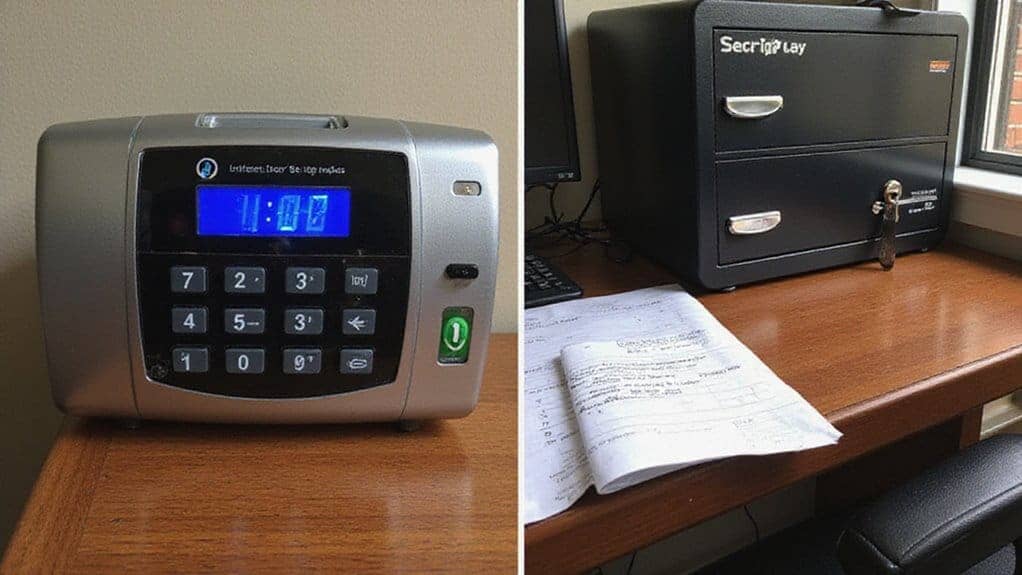
Why Electronic Security Matters for DCAA Compliance
Protecting your timekeeping data isn’t optional when you’re managing DCAA-compliant time tracking—it’s foundational to everything else you’re building. In government contracts, safeguarding this data is essential to ensure the proper use of taxpayer money.
Authentication Layers Prevent Unauthorized Access
Electronic systems enforce robust security protocols through password protection, multi-factor authentication, and role-based access controls that prevent unauthorized modifications.
You’ll know exactly who accessed what and when.
Paper Records Create Compliance Vulnerabilities
Paper timekeeping leaves you vulnerable; anyone with physical access can alter records without detection. Understanding DCAA compliance requirements ensures your organization implements the security standards necessary to protect sensitive employee time data. All employees, regardless of their roles, must track their time for DCAA compliance, including salaried and overhead employees.
Digital Audit Trails Document Every Action
Electronic platforms create impenetrable audit trails documenting every change, timestamp, and user action.
Role-Based Controls Eliminate Modification Risks
Your access controls guarantee only authorized personnel modify time entries, eliminating the fraud risks inherent in manual systems. Role-based controls are essential for preventing fraudulent activities related to timekeeping and payroll, ensuring that internal controls and separation of duties are maintained.
That’s compliance strength you can actually trust.
Integration With Accounting and Cost Tracking Systems
Your timekeeping data lives in a larger ecosystem—and when you integrate electronic time tracking directly with your accounting and cost tracking systems, you’re closing the gap between labor hours and actual project costs. For cost reimbursable contracts, it is essential to accurately track direct and indirect labor against specific contracts to meet DCAA compliance requirements.
This cost integration transforms how you manage DCAA compliance by helping you distinguish between direct and indirect labor for proper cost allocation, ensuring that indirect labor such as HR, IT support, and accounting is separated from direct labor like engineers and consultants.
Real-Time Labor Cost Visibility
Instant access to labor expenses across projects and charge codes, with the ability to track costs for each specific project to ensure accurate allocation and compliance.
Automatic Timesheet Reconciliation
Eliminate manual matching between timesheets and general ledger entries.
Reduced Data Entry Errors
Minimize accounting compatibility issues through automated workflows.
Audit-Ready Documentation
Built-in audit trails linking billable hours to invoiced amounts.
Electronic platforms eliminate the manual workarounds that plague paper systems, giving you accurate financial reporting and audit-ready documentation instantly. Implementing system adequacy requirements ensures your timekeeping integration meets government contracting standards and maintains compliance during audits.
DCAA Auditor Preferences and Compliance Challenges
Electronic Systems Trump Paper Methods
When DCAA auditors walk through your door—announced or otherwise—they’re evaluating whether your timekeeping system actually delivers what the regulations demand.
Here’s what they’ve consistently found: electronic systems outperform paper-based approaches by a significant margin.
Digital Platforms Reduce Audit Risk
You’ll face fewer compliance challenges with digital platforms because they create immutable audit trails, automated approvals, and real-time documentation that auditors can instantly access. These platforms also help organizations stay compliant with DCAA requirements by automating documentation and approval processes.
Paper Timekeeping Creates Documentation Gaps
Paper limitations become glaring during inspections: missing signatures, unclear corrections, and retrieval delays trigger red flags. Common deficiencies like retroactive time changes without documentation and inadequate approval processes are far more difficult to detect and control in paper-based systems.
Why DCAA Favors Electronic Solutions
DCAA preferences lean heavily toward electronic advantages because they streamline audit efficiency while eliminating the human error vulnerabilities that paper timekeeping standards can’t adequately address.
Selecting the Right System for Government Contract Compliance

Electronic timekeeping systems consistently outperform paper methods during DCAA audits.
Choosing a compliant solution isn’t optional for serious contractors—it’s essential. Selecting a system that enables employees to accurately track time is crucial for DCAA compliance, as it ensures proper recording, approval, and maintenance of auditable time records.
Evaluate these key factors:
Immutable Audit Trails
Guarantee timestamped change documentation that withstands regulatory scrutiny and provides complete visibility into all system modifications.
Seamless Accounting Integration
Verify your timekeeping platform connects directly to accounting systems, eliminating manual data entry and reducing compliance errors. Your system must support segregation of direct and indirect costs to maintain the cost accounting standards required under DFARS 252.242-7006.
Scalable User Management
Confirm the platform accommodates your current team size while supporting future growth without system limitations or performance degradation.
Robust Security Controls
Check for multi-factor authentication, role-based access restrictions, and encryption standards that protect sensitive employee and compliance data.
DCAA-compliant software eliminates paper-related risks and prepares your organization to navigate unannounced inspections with confidence.
Frequently Asked Questions
What Are the Costs Associated With Implementing and Maintaining Electronic Timekeeping Systems Versus Paper-Based Alternatives?
Q1: How much does electronic timekeeping software cost for small government contractors annually?
A: Electronic timekeeping systems typically range from $500–$5,000+ annually in software licensing fees, plus implementation costs.
While this represents an upfront investment, small government contractors recover these expenses within 12–18 months through reduced labor costs and eliminated compliance penalties.
Q2: What’re the hidden costs of maintaining paper-based timekeeping systems?
A: Paper timekeeping systems incur ongoing expenses for manual data entry labor, physical storage infrastructure, document retrieval, error correction, and compliance audit preparation.
These cumulative costs often exceed electronic system expenses by 40–60% over a three-year period.
Q3: Can electronic timekeeping systems reduce DCAA compliance audit risks?
A: Yes. Electronic timekeeping systems generate automated audit trails, create immutable records, and enable real-time compliance verification.
This substantially reduces audit risk exposure and associated remediation costs for government contractors subject to DCAA requirements.
Q4: What’s the total cost of ownership difference between electronic and paper timekeeping over five years?
A: Electronic systems typically cost $3,000–$8,000 over five years, while paper systems cost $8,000–$15,000+ when factoring in labor, storage, and compliance management.
Electronic solutions deliver 40–50% lower total ownership costs.
Q5: How much labor cost reduction occurs when switching from paper to electronic timekeeping?
A: Electronic systems eliminate 5–10 hours weekly of manual timekeeping administration.
For contractors paying $25–$50 per hour for administrative staff, this translates to $6,500–$26,000 in annual labor savings.
Q6: Do electronic timekeeping systems improve system maintenance efficiency for government compliance?
A: Electronic systems provide centralized maintenance, automatic backup capabilities, version control, and standardized record-keeping.
This eliminates the physical document degradation, loss risks, and retrieval delays inherent in paper-based systems.
Q7: What compliance documentation costs are avoided with electronic timekeeping?
A: Electronic systems eliminate costs associated with manual document organization, manual compliance report generation, external audit preparation labor, and error correction.
Government contractors typically save $2,000–$5,000 annually in compliance-related administrative expenses.
How Long Does the Transition Typically Take When Migrating From Paper to Electronic Timekeeping Systems?
1. What’s the average timeline for migrating from paper timekeeping to digital systems?
The typical transition spans 3-6 months, with the specific duration dependent on your workforce size and operational complexity.
Larger organizations or those with intricate timekeeping requirements may require extended implementation periods.
2. How can companies minimize disruption during electronic timekeeping migration?
Implement a phased rollout by department rather than company-wide simultaneously. This approach allows staff to adapt gradually while maintaining operational continuity.
Running parallel systems—paper and digital concurrently—further reduces disruption risks.
3. What’re the main barriers to electronic timekeeping adoption?
User adoption resistance represents the primary challenge alongside data validation concerns and integrating legacy records from paper systems.
Comprehensive staff training programs directly address adoption obstacles.
4. Why is staff training critical for timekeeping system transitions?
Thorough training ensures employees understand new procedures, reduces errors, and accelerates the adoption process.
Well-trained staff transition more smoothly and require less ongoing support.
5. How do electronic timekeeping systems improve compliance documentation?
Digital systems create auditable, streamlined processes with automatic record-keeping capabilities.
These systems meet regulatory standards more reliably than manual methods and simplify DCAA audit preparation.
6. What documentation practices support successful timekeeping migrations?
Documenting all processes, decisions, and system configurations creates accountability and provides reference materials for staff.
Complete documentation facilitates troubleshooting and ensures consistency across departments.
7. Should companies validate data before migrating legacy timekeeping records?
Yes. Data validation ensures historical records transfer accurately to electronic systems, preventing compliance gaps and maintaining audit trail integrity throughout the transition.
Can Employees Access and Modify Timesheets After Supervisor Approval in Electronic Systems?
FAQ 1: Why Are Approved Timesheets Locked in DCAA-Compliant Systems?
Approved timesheets are locked to maintain audit trail integrity and prevent unauthorized modifications. This immutable design ensures compliance with DCAA regulations and protects your organization during audits by creating an unalterable record of approved hours.
FAQ 2: Can Employees Request Changes to Locked Timesheets?
Yes, employees can submit formal change requests to modify locked timesheets. These requests generate timestamped audit trails documenting the reason for correction, maintaining compliance while allowing necessary adjustments through controlled procedures.
FAQ 3: What Happens When a Timesheet Error Is Discovered After Supervisor Approval?
When errors are discovered post-approval, employees must initiate a documented change request rather than directly modifying the record. This process creates an audit trail showing the original entry, correction reason, and approval chain—essential for DCAA compliance verification.
FAQ 4: How Do Electronic Timesheet Systems Prevent Unauthorized Modifications?
DCAA-compliant electronic systems use record-locking mechanisms that restrict employee access to approved timesheets. This prevents unauthorized alterations and ensures only documented, timestamped change requests can modify approved time entries.
FAQ 5: What Is the Audit Trail Benefit of Immutable Timesheet Records?
Immutable timesheet records create permanent, unalterable documentation of time entries and approvals. This transparent audit trail demonstrates compliance rigor during DCAA inspections and protects against allegations of retroactive timesheet manipulation.
FAQ 6: How Long Does a Timesheet Change Request Process Typically Take?
While timeframes vary by organization, formal change requests generate timestamped documentation that flows through approval channels. The process duration depends on your system configuration and organizational procedures, but all steps remain documented in the audit trail.
FAQ 7: Are Locked Timesheets Considered Final Records for Compliance?
Locked timesheets represent approved, final records in DCAA-compliant systems. However, they’re not permanently unmodifiable—documented change requests can update records while preserving the complete audit history required for regulatory compliance.
What Training Duration Is Required for Staff to Become Proficient With New Electronic Timekeeping Platforms?
1. How long does it take to train employees on electronic timekeeping systems?
Two to four weeks is the standard training duration for staff to achieve proficiency with electronic timekeeping platforms. This timeline assumes structured training methods and active engagement from participants.
2. What’re the most effective training methods for electronic timekeeping software?
Hands-on workshops, video tutorials, and sandbox environments represent the most effective training approaches. These methods allow employees to practice in risk-free settings while building practical skills before working with live systems.
3. How can you reduce electronic timekeeping system adoption resistance?
Gather user feedback early through surveys and pilot groups before full implementation. Addressing real concerns and adjusting instruction based on employee input directly accelerates adoption rates and builds staff confidence.
4. What should you include in a DCAA-compliant timekeeping training program?
Training must cover DCAA compliance requirements specific to your electronic timekeeping platform. Ensuring staff understands regulatory navigation prevents costly compliance issues and maintains accurate time tracking records.
5. How do pilot groups improve timekeeping platform implementation?
Pilot groups identify usability issues and training gaps before organization-wide rollout. Their early feedback allows you to refine training materials and address obstacles, resulting in smoother adoption across the entire team.
6. What metrics indicate staff proficiency with electronic timekeeping platforms?
Confident system navigation, accurate time entry completion, and minimal support ticket inquiries signal employee proficiency. Tracking these indicators helps determine if your two to four-week training timeline is sufficient.
Are There Industry-Specific Considerations When Choosing Between Electronic and Paper Timekeeping Systems?
Q: What timekeeping requirements do DCAA contracts mandate for government contractors?
A: DCAA (Defense Contract Audit Agency) contracts require electronic timekeeping systems with automated audit trails.
Paper-based methods can’t satisfy compliance standards, making digital platforms mandatory for contractors pursuing federal defense work.
Q: Are electronic timekeeping systems required for aerospace industry compliance?
A: Yes. Aerospace sector contractors must implement electronic timekeeping to meet federal inspection standards and maintain compliant audit documentation.
Automated systems are mandatory infrastructure for this industry.
Q: Do commercial firms face different timekeeping compliance than government contractors?
A: Commercial firms have significantly less stringent compliance requirements than government contractors.
While electronic systems offer benefits, commercial businesses retain flexibility in choosing between paper and electronic methods based on operational needs rather than regulatory mandates.
Q: Which federal service sectors require automated timekeeping systems?
A: Defense, aerospace, and federal service sectors all require automated timekeeping.
These industries must use electronic platforms to pass government audits and maintain compliant time records for contract fulfillment.
Q: Can government contractors use paper timekeeping methods for compliance?
A: No. Paper-based timekeeping can’t meet audit trail demands required by government contracts.
Electronic systems are non-negotiable for any contractor pursuing federal work.
Q: Why are electronic timekeeping systems mandatory for defense contractors?
A: Electronic systems provide automated audit trails necessary for DCAA compliance verification.
Government audits require digital documentation that paper methods can’t reliably provide, making automated platforms essential infrastructure.
Q: What happens if federal contractors fail to implement required electronic timekeeping?
A: Contractors can’t pass government inspections or maintain contract compliance without electronic timekeeping.
Failure to implement automated systems results in audit failures and contract ineligibility.